
Advertisement
Click to download now, finish the installation quickly, and directly unlock the "all-round experience"
Advertisement
Screenshots
Click to download now, finish the installation quickly, and directly unlock the "all-round experience"
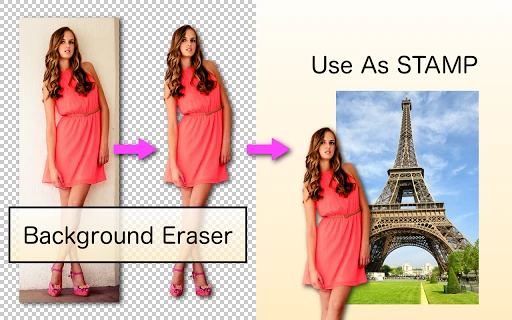
Background Eraser serves as a specialized utility within the Photography landscape, functioning as a high-precision tool for subject isolation. Rather than attempting to be an all-in-one editor, it focuses entirely on the critical task of creating transparent backgrounds. Its authoritative position in the market is built on its ability to provide users with the surgical control necessary for high-quality photomontages and digital collages, making it a staple for both casual creators and mobile designers.
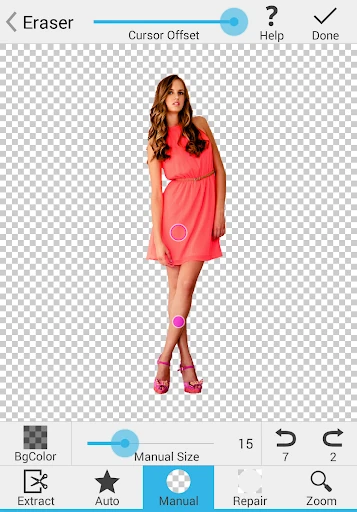
The interface of Background Eraser is minimalist and utility-driven, adhering to the standards of functional photography tools. While it avoids the flashy aesthetics of modern social media filters, it prioritizes a clear workspace. The UI is designed for touch-screen ergonomics, providing adjustable brush offsets to ensure the user's finger does not obscure the area being edited, which is a critical UX consideration for high-precision tasks.
To keep pace with evolving industry standards, the next update should consider integrating a neural-network-based "Auto-Subject" detection for one-click removals. Additionally, introducing basic layer support or a set of standard canvas presets would allow users to complete more of their workflow without switching to a secondary montage application.
Background Eraser is the ideal tool for creators, small business owners, and hobbyists who require clean, professional-grade cutouts for stickers and composite photos. It is best suited for users who value manual control and precision over generic automated filters. For those building a mobile design toolkit, this app is a reliable and essential "worker-bee" utility.