
Advertisement
Click to download now, finish the installation quickly, and directly unlock the "all-round experience"
Advertisement
Screenshots
Click to download now, finish the installation quickly, and directly unlock the "all-round experience"
IPTV stands as a veteran utility in the Video Players & Editors landscape, acting as a robust, lightweight shell for streaming internet television. Unlike content-bundled services, it provides the technical infrastructure to bridge the gap between raw stream links and a polished viewing experience. It is a highly specialized tool that prioritizes functionality and broad compatibility with industry-standard playlist formats, making it a go-to for enthusiasts who manage their own media sources and seek a reliable playback environment.
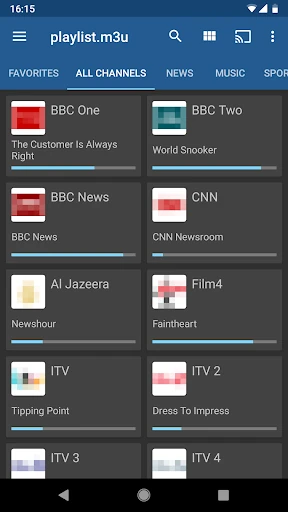
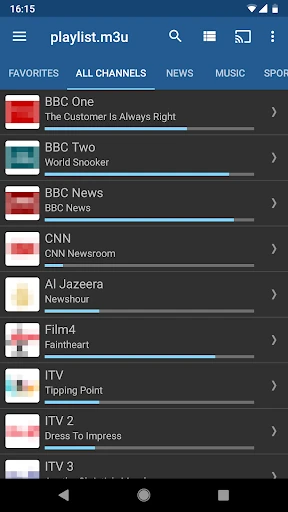
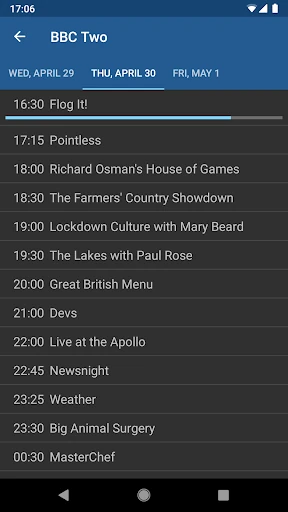
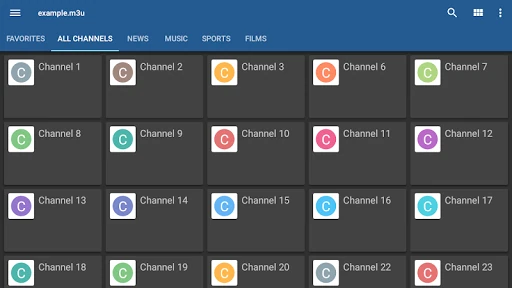
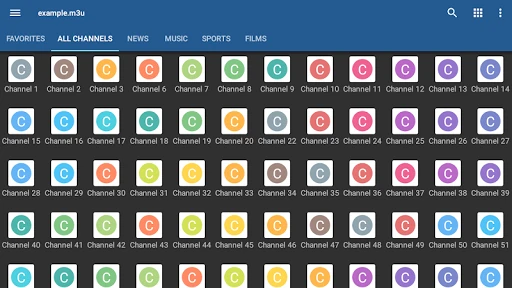
The user interface of IPTV is built on the principle of utility over aesthetic flair. It offers practical customization through Grid, List, and Tile views, which is a standard expectation in the Video Players & Editors category. This adaptability ensures that the app remains functional across various form factors, from small smartphones to large-screen set-top boxes. While the design leans toward a legacy Android aesthetic, the navigation is logical and responsive, focusing on getting the user to their content with as few clicks as possible.
The application would benefit from a more modern UI overhaul that aligns with contemporary Material Design standards. Additionally, incorporating an automated setup wizard or a "help" section to assist users in finding or configuring their first playlist would lower the barrier to entry for non-technical users. Integrated support for more modern streaming protocols beyond basic M3U would also keep it competitive in a crowded market.
IPTV is a professional-grade tool designed specifically for "cord-cutters" and tech-savvy viewers who already have access to their own streaming sources. It is not a plug-and-play entertainment app, but rather a powerful, customizable engine for those who want total control over their live TV experience. It is the definitive recommendation for users with IPTV-enabled ISPs or those configuring dedicated Android TV boxes for home theater setups.