Advertisement
Click to download now, finish the installation quickly, and directly unlock the "all-round experience"
Advertisement
Screenshots
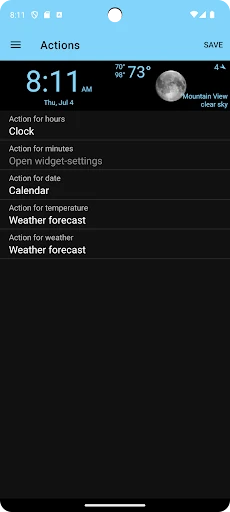
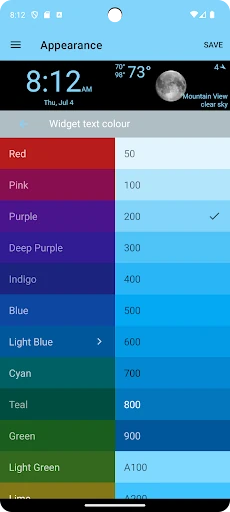
Click to download now, finish the installation quickly, and directly unlock the "all-round experience"
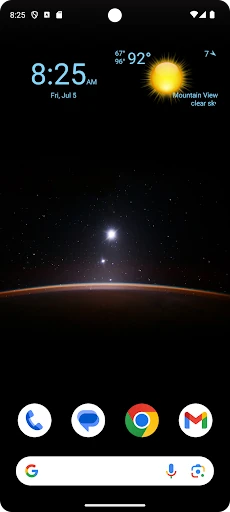
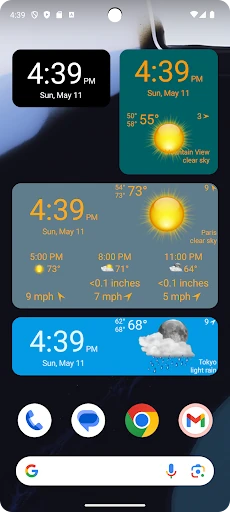
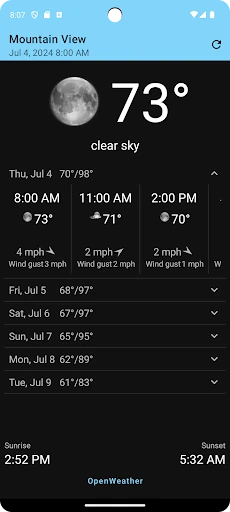
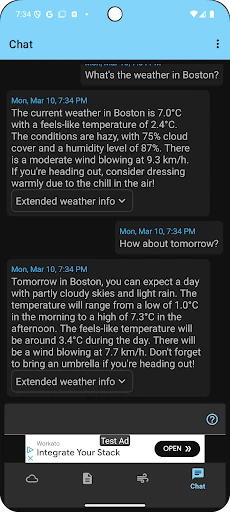
The Clock, Date and Weather Widget stands as a sophisticated yet minimalist solution in the crowded weather utility landscape. By prioritizing a clean integration into the Android home screen ecosystem, it avoids the common pitfall of cluttered, ad-heavy weather applications. This tool is designed for users who demand immediate access to essential temporal and meteorological data without sacrificing aesthetic harmony. It effectively bridges the gap between simple system clocks and complex weather trackers by leveraging Google's Material Design and introducing modern AI-driven insights.
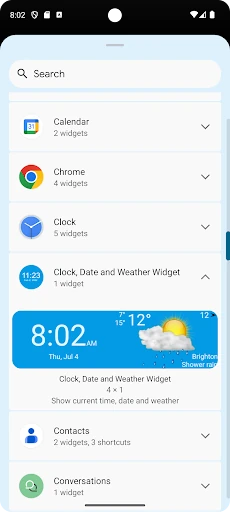
The user experience is centered around the concept of "at-a-glance" efficiency. By utilizing a Material Design framework, the app ensures that the UI feels like a native extension of the operating system rather than a third-party add-on. The inclusion of a widget preview during the setup phase is a significant UX win, as it removes the trial-and-error process typically required when placing widgets. The interaction model is intuitive, following standard Android long-press and resize gestures, making it accessible even to non-technical users while providing enough depth for power users via its customization settings.
To further elevate the app, the developer could introduce hyper-local weather alerts that push notifications directly through the widget interface. Additionally, expanding the AI Weather Assistant to include voice-to-speech capabilities would improve accessibility and make the "Assistant" feature feel more integrated into the user's daily routine.
Clock, Date and Weather Widget is primarily for the "functional minimalist"—the user who values screen real estate and design consistency above all else. It is an excellent choice for professionals and enthusiasts who want a sophisticated, informative home screen setup. If you are looking for a reliable, visually pleasing way to keep track of time and weather without the bloat of traditional weather apps, this is a top-tier recommendation.