Advertisement
Click to download now, finish the installation quickly, and directly unlock the "all-round experience"
Advertisement
Screenshots
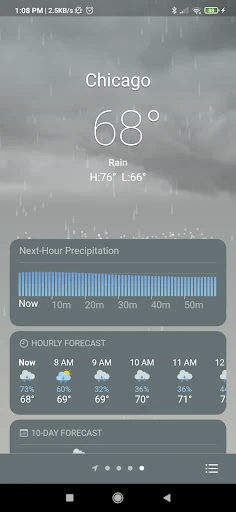
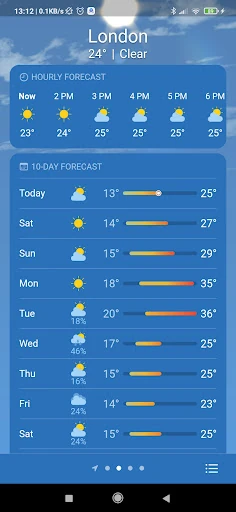
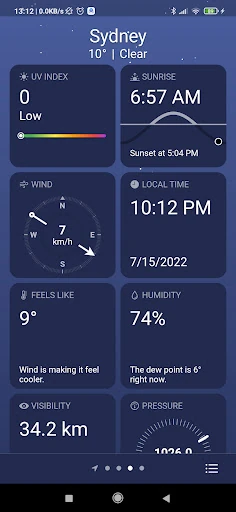
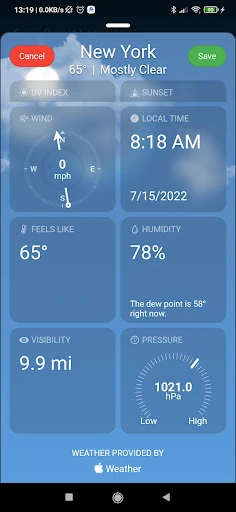
Click to download now, finish the installation quickly, and directly unlock the "all-round experience"
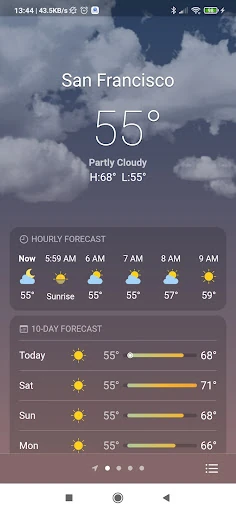
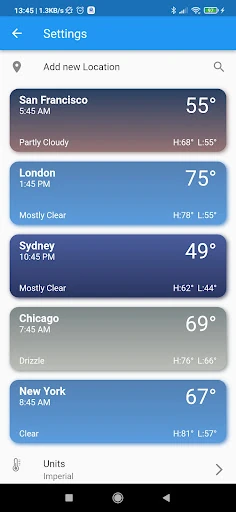
Real Weather establishes itself as a visually-driven utility within the competitive weather category. Unlike clinical, data-heavy applications, Real Weather prioritizes immersion through animated environmental backgrounds while maintaining high data standards by utilizing Apple’s WeatherKit and OpenWeatherMap APIs. It successfully bridges the gap between aesthetic appeal and functional forecasting, making it a strong contender for users who want their weather data presented with a modern, dynamic flair that fits seamlessly into the contemporary mobile landscape.
The UI of Real Weather centers on the philosophy of transparency and layers. From a UX perspective, the inclusion of adjustable panel opacity is a sophisticated touch, ensuring that text remains legible regardless of the brightness of the background animations. The navigation is straightforward, allowing for quick toggling between a user's current location and multiple saved cities. It adheres well to modern design standards, emphasizing clean typography and intuitive icon placement while avoiding the cluttered look that plagues many free weather apps.
To move into the top tier of weather utilities, Real Weather should consider integrating proactive push notifications for severe weather alerts and precipitation starts. Additionally, the inclusion of interactive Doppler radar layers would provide the spatial context that power users require during volatile weather seasons. Expanding the data points to include air quality index (AQI) or pollen counts would also increase the app's daily utility for health-conscious users.
Real Weather is perfectly suited for the aesthetic-conscious user—individuals who want a reliable 10-day forecast wrapped in a beautiful, customizable interface. It is an excellent choice for casual users who find stock weather apps too basic but want to avoid the complexity of professional meteorological tools. If you value a home screen that looks as good as it functions, Real Weather is a highly recommended addition to your app drawer.