
Advertisement
Click to download now, finish the installation quickly, and directly unlock the "all-round experience"
Advertisement
Screenshots

Click to download now, finish the installation quickly, and directly unlock the "all-round experience"
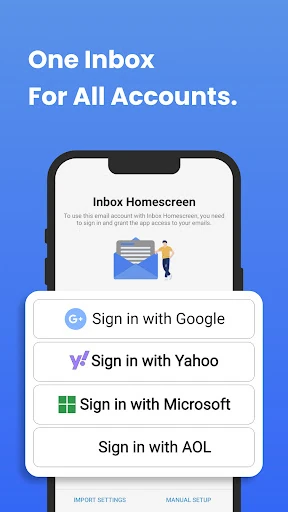
Inbox Homescreen positions itself as a specialized utility in the Communication landscape, functioning as a hybrid between a traditional Android launcher and a robust email aggregator. In an era where digital clutter is a significant hurdle to productivity, this app attempts to streamline the user workflow by making the inbox the focal point of the mobile experience. It is a bold approach that targets professionals and power users who prioritize communication over standard app navigation, offering a centralized hub that effectively consolidates fragmented accounts into a singular, actionable interface.
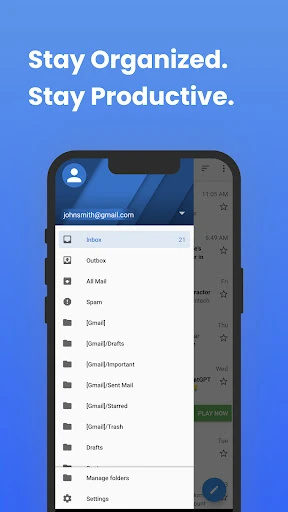
The user interface of Inbox Homescreen is designed with a "function-over-form" philosophy that doesn't sacrifice modern aesthetics. By replacing the default home screen, it creates a persistent environment for communication, which significantly reduces the cognitive load of navigating through app drawers. The design language is clean and intuitive, following established UX patterns for mobile mail clients, which ensures that the learning curve is minimal for new users. However, because it alters the core search functionality of the device, users must adapt to a Yahoo-driven search experience, which is a significant shift from the native Android search ecosystem.
To truly dominate the communication category, Inbox Homescreen should consider offering users a choice regarding their default search provider, rather than locking it to Yahoo. Additionally, integrating calendar snapshots and task management directly onto the home screen alongside the email feed would create a more holistic productivity environment. Improved gesture support for archiving or deleting emails directly from the home screen view would also further enhance the "speed" of the user experience.
Inbox Homescreen is a niche but powerful tool designed specifically for "email-first" users—freelancers, corporate professionals, and digital managers who live in their inboxes. It successfully transforms the mobile device into a dedicated communication workstation. While the requirement to change search settings is a notable trade-off, the efficiency gained through its unified interface makes it a highly recommended download for anyone looking to reclaim control over a chaotic digital life.